

Download Mango IRC – Secure Mac IRC Client for Group Chat & Private Messaging
Overview
Mango IRC is a robust, native chat client built especially for macOS, iPadOS, and iOS. It brings the classic Internet Relay Chat (IRC) experience to Apple devices with a clean, modern interface that feels right at home on the Mac App Store. Whether you are a developer needing real‑time collaboration, a gamer coordinating raids, or simply a friend who loves nostalgic text‑based chat rooms, Mango IRC offers a reliable bridge to the world’s largest network of IRC servers.
The client supports simultaneous connections to multiple servers, SSL encryption for secure conversations, and seamless integration with IRC bouncers like ZNC, allowing you to stay connected even when your device goes offline. With native support for Mountain Lion’s Notification Center, keyboard shortcuts, and command auto‑completion, Mango IRC makes it easy to keep the conversation flowing without sacrificing productivity. Its lightweight design ensures low CPU and memory usage, making it a perfect companion for both high‑end Macs and modest laptops.
In short, Mango IRC is the go‑to IRC client for anyone who wants a free, secure, and feature‑rich chat solution that works across Mac desktops, iPads, and iPhones.
Key Features & User Interface
What Sets Mango IRC Apart?
- Multi‑server connectivity – join several IRC networks at once.
- SSL/TLS support – keep your conversations encrypted and private.
- Integrated ZNC bouncer support – stay logged in even when you’re offline.
- Native Notification Center alerts – get real‑time updates without intrusive pop‑ups.
- Keyboard shortcut suite – navigate channels, send messages, and execute commands faster.
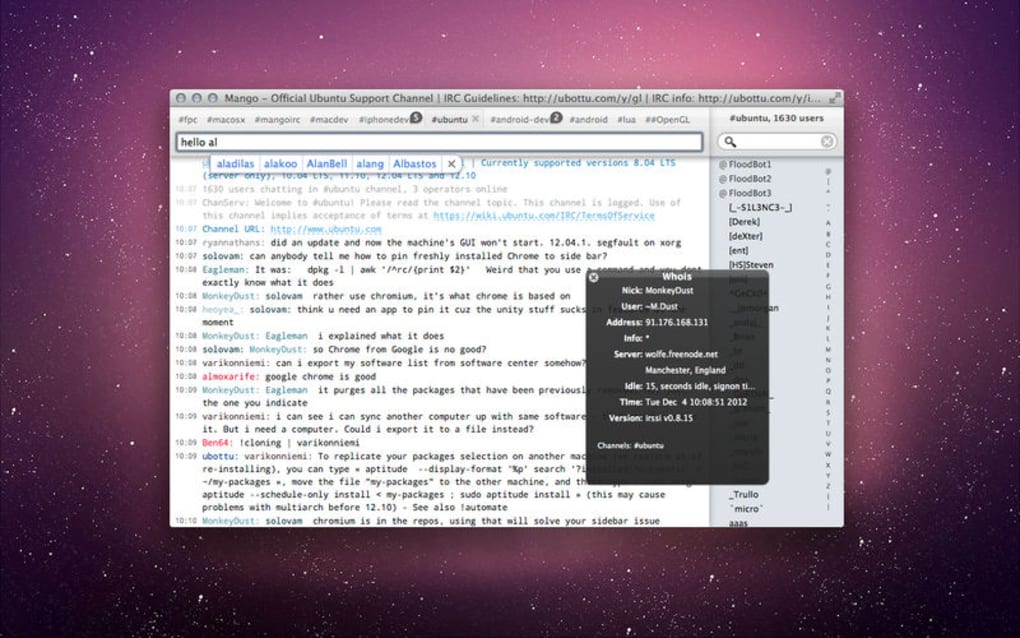
- IRC command auto‑completion – type “/j” and hit Tab to auto‑complete “/join”.
- Channel highlighting – never miss a mention of your nickname.
- Customizable themes – match the client to your visual preferences.
- Cross‑device sync – your settings follow you from Mac to iPad to iPhone.
- Lightweight footprint – low CPU and memory consumption for smooth multitasking.
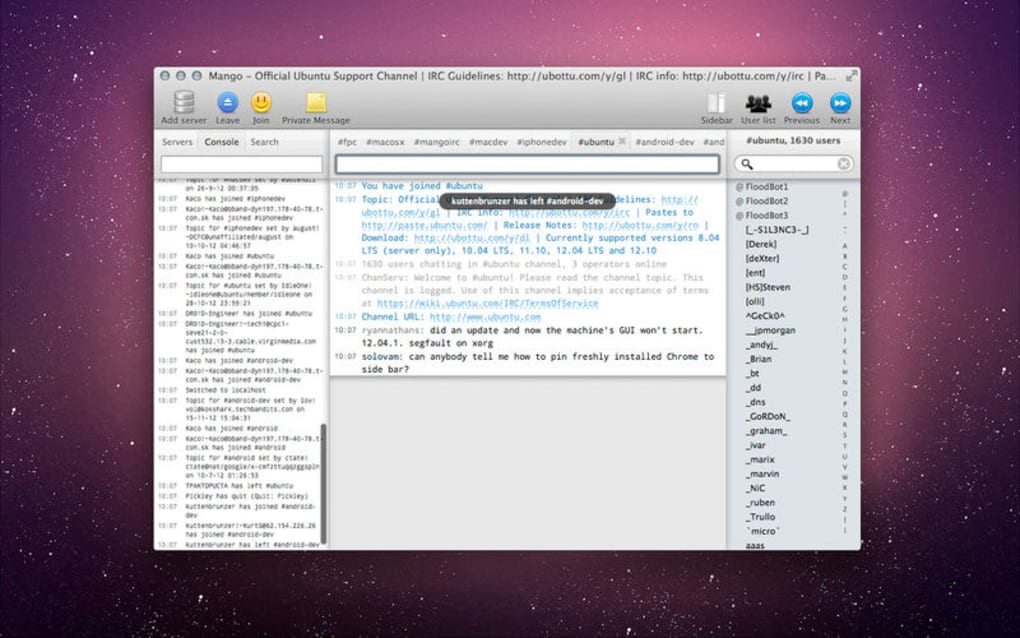
The user interface follows Apple’s design language: a sidebar lists all connected servers and channels, while the main pane displays chat history with timestamps. A simple toolbar provides quick access to settings, channel list, and user info. The design prioritizes readability; fonts are crisp, and color contrast is adjustable for accessibility.
Notifications appear in the top‑right corner of the screen, highlighting joins, leaves, private messages, and mentions. Because everything is accessible through both mouse clicks and keyboard shortcuts, power users can stay in the flow without constantly reaching for the mouse. The client also supports drag‑and‑drop of URLs and files, automatically converting them into proper IRC links.
Installation, Setup & Compatibility
Getting Started on macOS, iPadOS, and iOS
Downloading Mango IRC is straightforward. Visit the official website or the Mac App Store, click “Download,” and the installer will guide you through a standard macOS installation process. For iPad or iPhone, the app is available in the iOS App Store—just tap “Get” and follow the on‑screen prompts. The installer automatically places the application in the /Applications folder on macOS, and the iOS version integrates into your home screen like any other app.
After installation, launch Mango IRC and you’ll be greeted by a quick‑start wizard. The wizard asks you to add your first IRC server (e.g., irc.libera.chat), choose a nickname, and optionally enable SSL. If you use a ZNC bouncer, you can enter the bouncer’s address, port, and password; Mango IRC will handle the reconnection logic automatically. The first‑time setup also lets you import existing server lists from other IRC clients, making migration painless.
Mango IRC is fully compatible with macOS 10.12 Sierra and later, including macOS Ventura, as well as iPadOS 13+ and iOS 13+. The app leverages modern Apple frameworks, ensuring smooth performance on both Intel and Apple Silicon Macs. Minimum system requirements are modest: 500 MB of free disk space, 256 MB of RAM, and a stable internet connection. Because the client is native, it runs natively on M1/M2 chips without Rosetta translation, delivering faster startup and lower power consumption.
Once connected, you can join channels by typing /join #channelname or using the “Join Channel” dialog. Private messages are initiated with /msg nickname message. All settings—including theme preferences, notification options, and keyboard shortcuts—are stored in iCloud, so they sync across all your Apple devices automatically.
Pros & Cons – Balanced Review
Strengths of Mango IRC
- Free and open‑source, with regular updates.
- Strong security features: SSL/TLS and ZNC bouncer support.
- Native macOS/iOS experience with tight system integration.
- Low resource usage makes it suitable for older Macs.
- Extensive keyboard shortcut set boosts productivity.
- Customizable themes and UI elements.
Areas for Improvement
- No built‑in DCC file transfer support (relies on external tools).
- Limited plugin ecosystem compared to some Windows IRC clients.
- Advanced scripting (e.g., Python or Lua) not yet available.
- Occasional UI lag when joining a large number of channels simultaneously.
FAQ & Final Thoughts
Frequently Asked Questions
Is Mango IRC completely free?
Yes, Mango IRC is free to download and use on macOS, iPadOS, and iOS. All core features, including SSL and ZNC support, are included at no cost.
Can I connect to multiple IRC networks at once?
Absolutely. Mango IRC allows simultaneous connections to several servers, each with its own set of channels and private chats.
How does Mango IRC handle secure connections?
The client supports SSL/TLS encryption for all server connections. You can enable SSL in the server settings wizard, and the app will verify certificates automatically.
Is there a way to keep my chat history?
Mango IRC offers optional local log files for each channel. You can enable logging in Preferences → Logs, and the logs are stored in your user Library folder.
Does the iOS version support notifications?
Yes, the iPhone and iPad versions integrate with the iOS Notification Center, alerting you to mentions, private messages, and channel joins/leaves.
Conclusion – Should You Download Mango IRC?
If you’re an Apple user looking for a dependable IRC client that blends security, performance, and a native feel, Mango IRC is a compelling choice. Its free price point, SSL support, and seamless iCloud sync make it ideal for developers, gamers, and casual chatters alike. While power users may miss a richer plugin system, the core experience is polished enough to satisfy most communication needs. Ready to join the conversation? Free Download and start chatting securely today.







